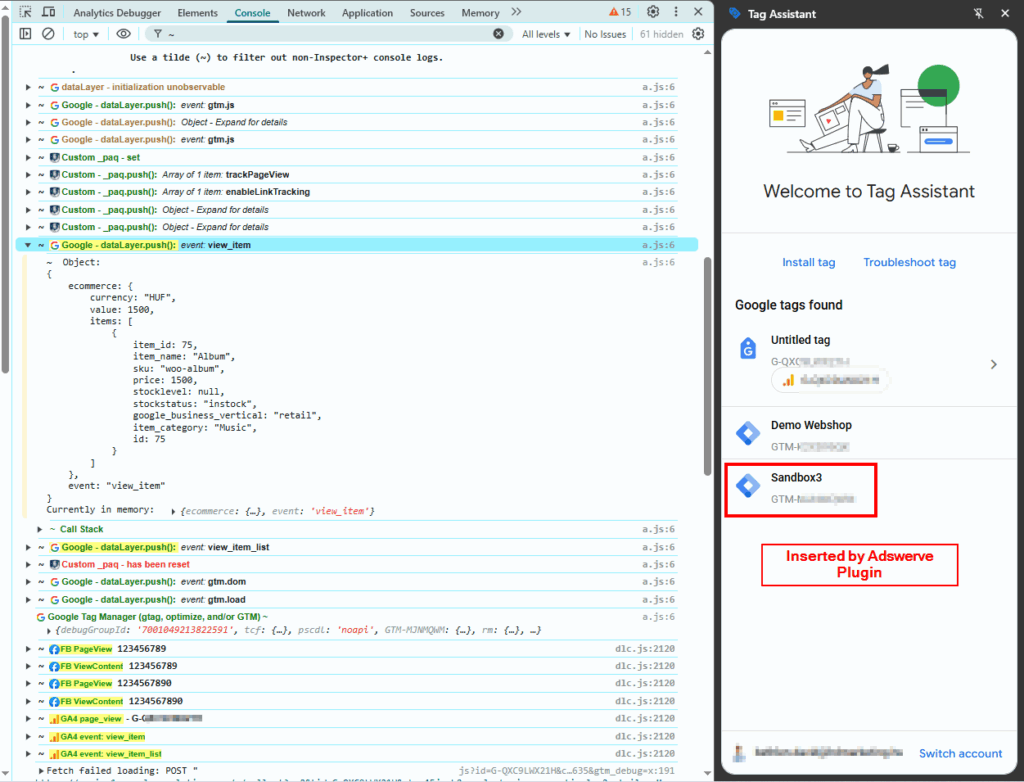
Hello! On this page (or on any page for that matter) you are able to insert your own GTM container for testing purposes.
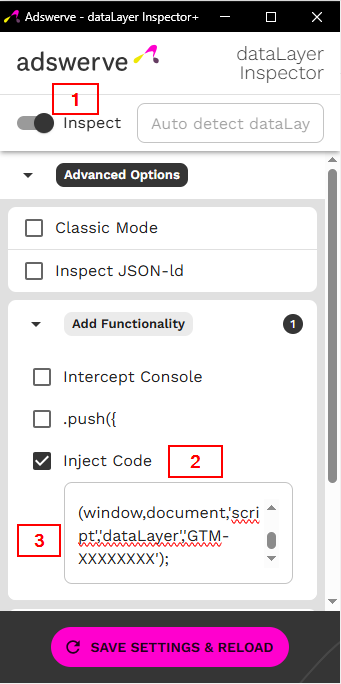
To do that, you must install the Adswerve – dataLayer Inspector+ plugin from the Chrome Web Store. Next, click on the icon of the extension in the upper right corner and turn it on with the “Inspect” slider. After that, scroll down to the “Add Functionality” section and check the “Inject Code” checkbox. Now insert your desired GTM container code (without the <script> tags!) into the field. Then click “Save Settings & Reload”.
Now when you open up your GTM containers Preview Mode on this page, your tags will load like in a real scenario. The plugin also generates an easily readable dataLayer debug log into the Developer Console (F12). Go ahead and test your Ecommerce events on the Shop page!